Enterprise-grade multi-layered authentication protecting 50+ elderly users with password hashing, session management, and time-limited password reset
With Singapore's ageing population, loneliness and social isolation is the biggest enemy for seniors in Singapore. Singaporeans aged 62 years and older are lonely, with a 7% increased risk of dying for lonely seniors.
Elderly users face unique challenges with complex systems, yet require secure platforms to connect and socialize. There's a critical need for simple, accessible technology that brings seniors together safely.
Elderlink is a web application that connects elderly users based on shared hobbies and interests. It is also a hub for learning and community events.
We wish to create a simple, community-focused platform that encourages seniors to socialize and combat loneliness through meaningful connections.
I developed a comprehensive secure authentication system for Elderlink using Flask and industry-standard security libraries. The system implements three layers of protection: password hashing with bcrypt for credential security, server-side session management for authenticated access control, and a secure password reset mechanism with time-limited tokens sent via email. This multi-layered approach ensures robust protection while maintaining user accessibility.
Email-based verification codes providing an additional security layer beyond passwords for enhanced account protection
Granular permission management with distinct roles (Admin, Moderator, User) controlling feature access and data visibility
Intelligent throttling limiting login attempts to 5 per 15 minutes, preventing automated attacks and credential stuffing
Industry-standard password hashing with salt and adaptive cost factor (12 rounds) ensuring credentials are never stored in plain text
Account activation via email confirmation links with time-limited tokens validating user identity during registration
Secure server-side sessions with HttpOnly cookies, automatic expiry, and session regeneration preventing hijacking attacks
Server-side validation on all user inputs with regex patterns and whitelist filtering preventing SQL injection and XSS attacks
Minimum 8 characters with uppercase, lowercase, numbers, and special characters; real-time strength meter and common password blacklist
Time-limited reset tokens (30-minute expiry) sent via SMTP with cryptographically secure generation using Python's secrets module
User-friendly interface balancing enterprise security with elderly accessibility through clear messaging and guided workflows
Security architecture aligned with OWASP Top 10 standards, addressing critical vulnerabilities including injection attacks, broken authentication, and security misconfigurations
See how Elderlink's multi-layered security system protects users while maintaining accessibility
Click image to enlarge
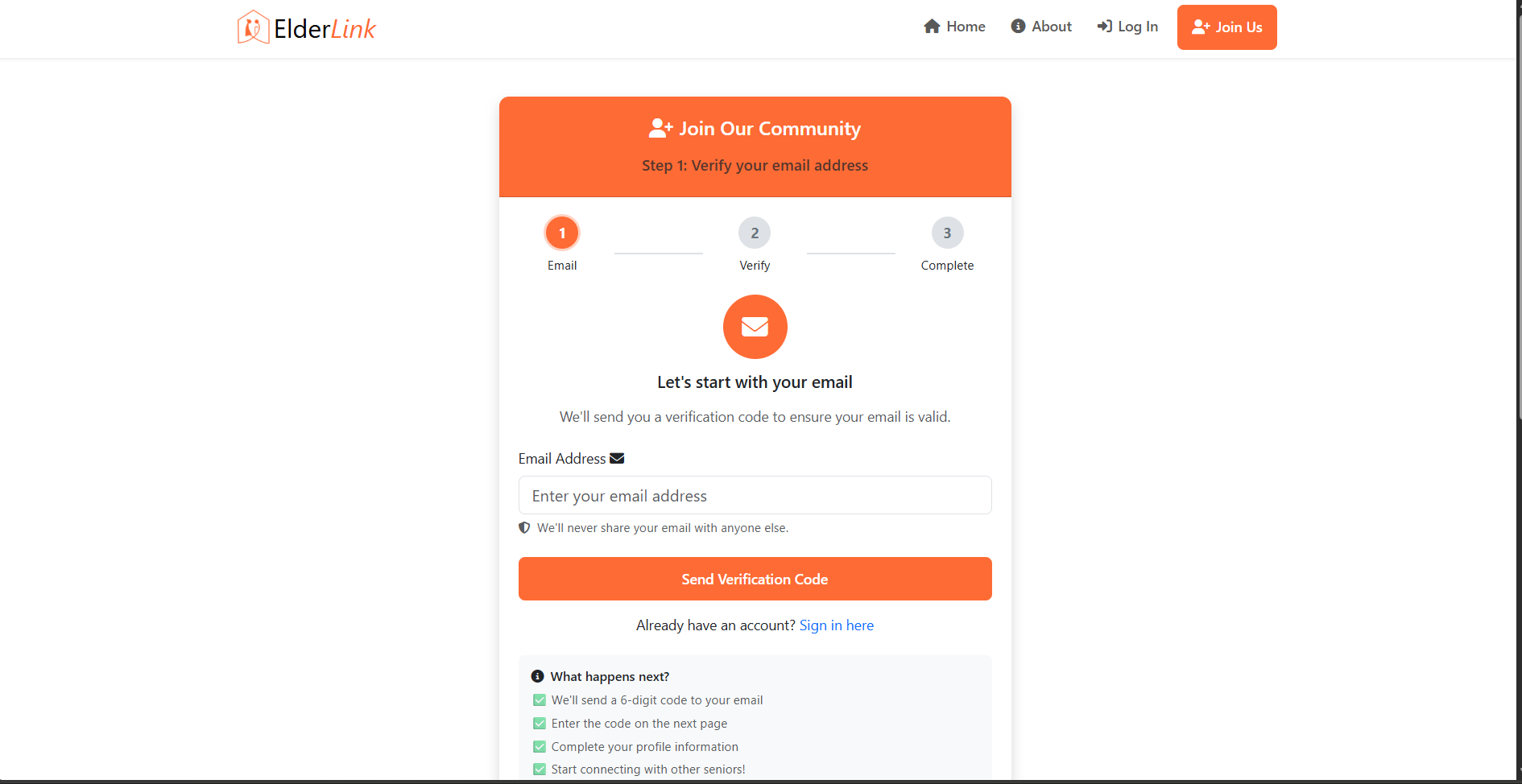
Streamlined signup process with real-time password strength validation and clear form feedback
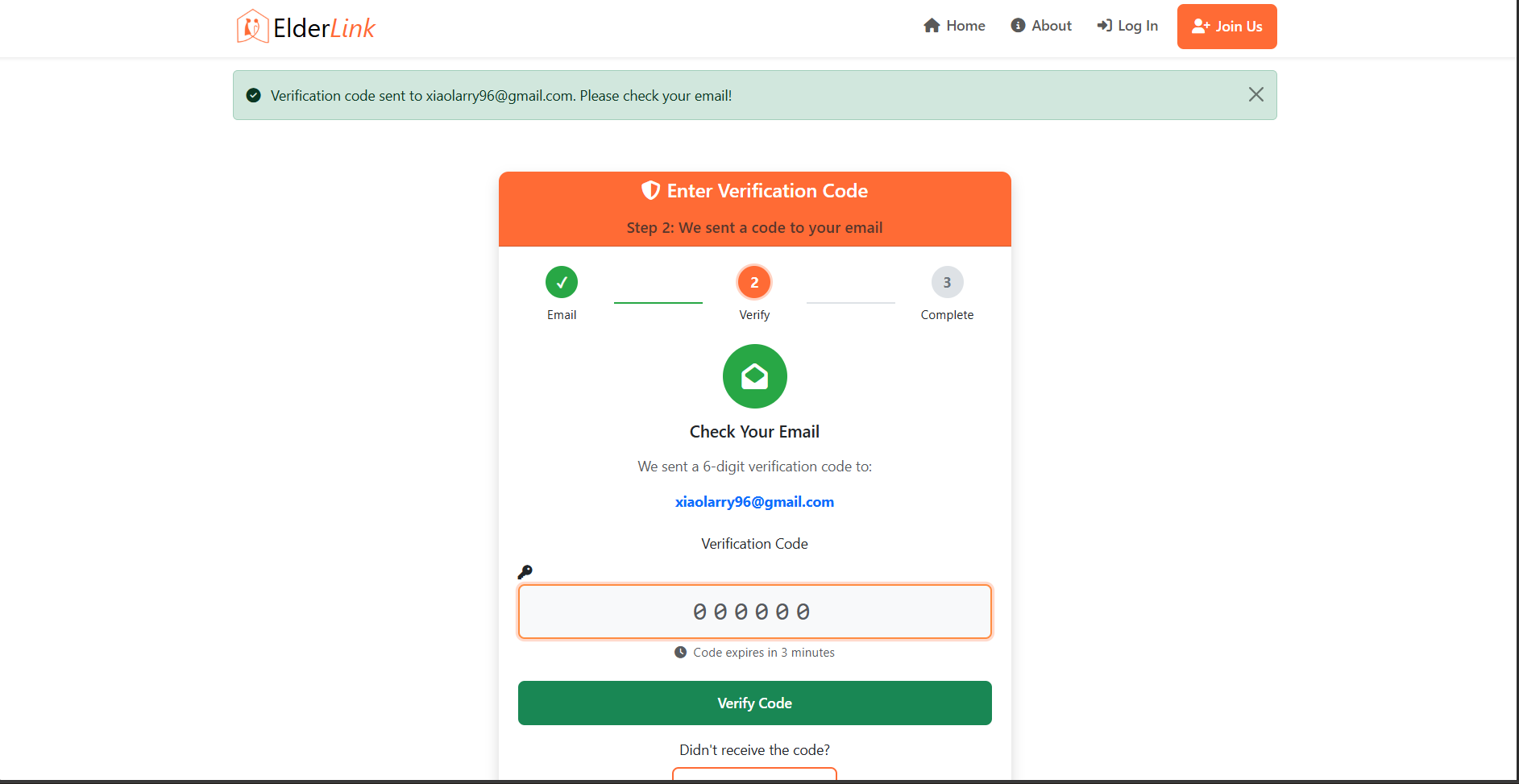
Account activation via email confirmation ensuring verified user identities and valid contact information
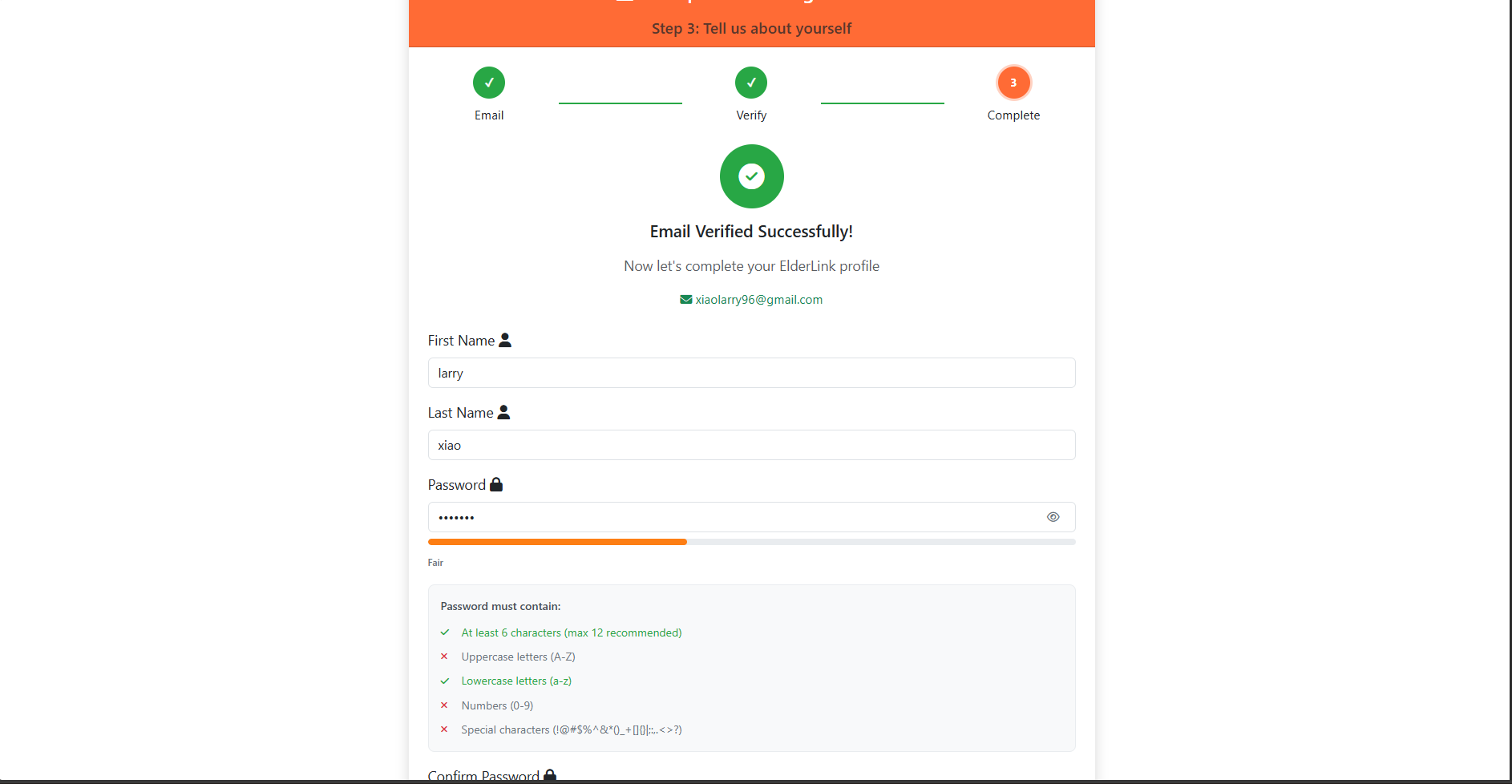
Final step of the signup process confirming successful account creation and email verification status. This also ensures that user creates a strong password to match Elderlink's password policy
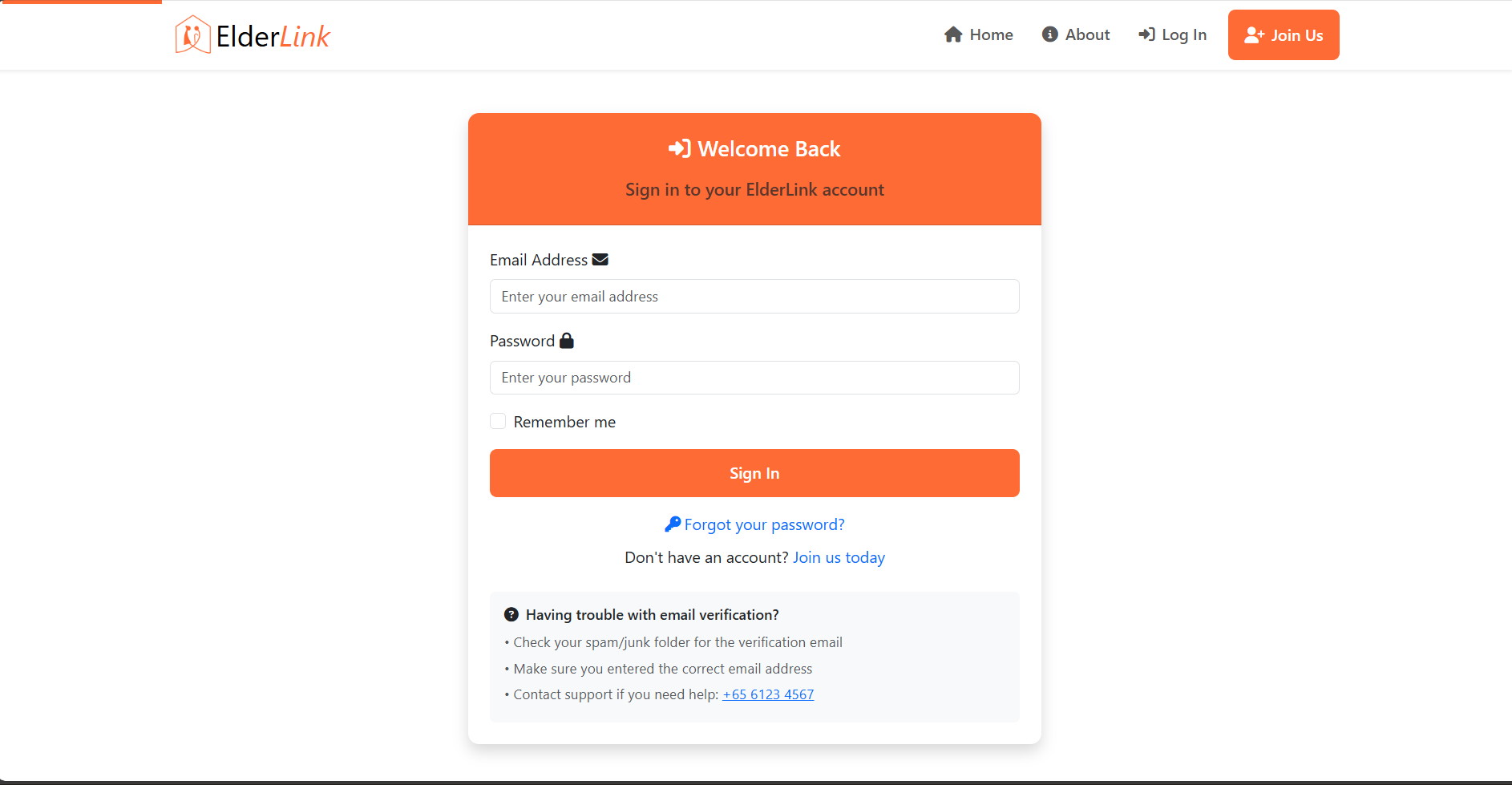
Clean, accessible login form with clear error messages and user guidance designed for elderly users
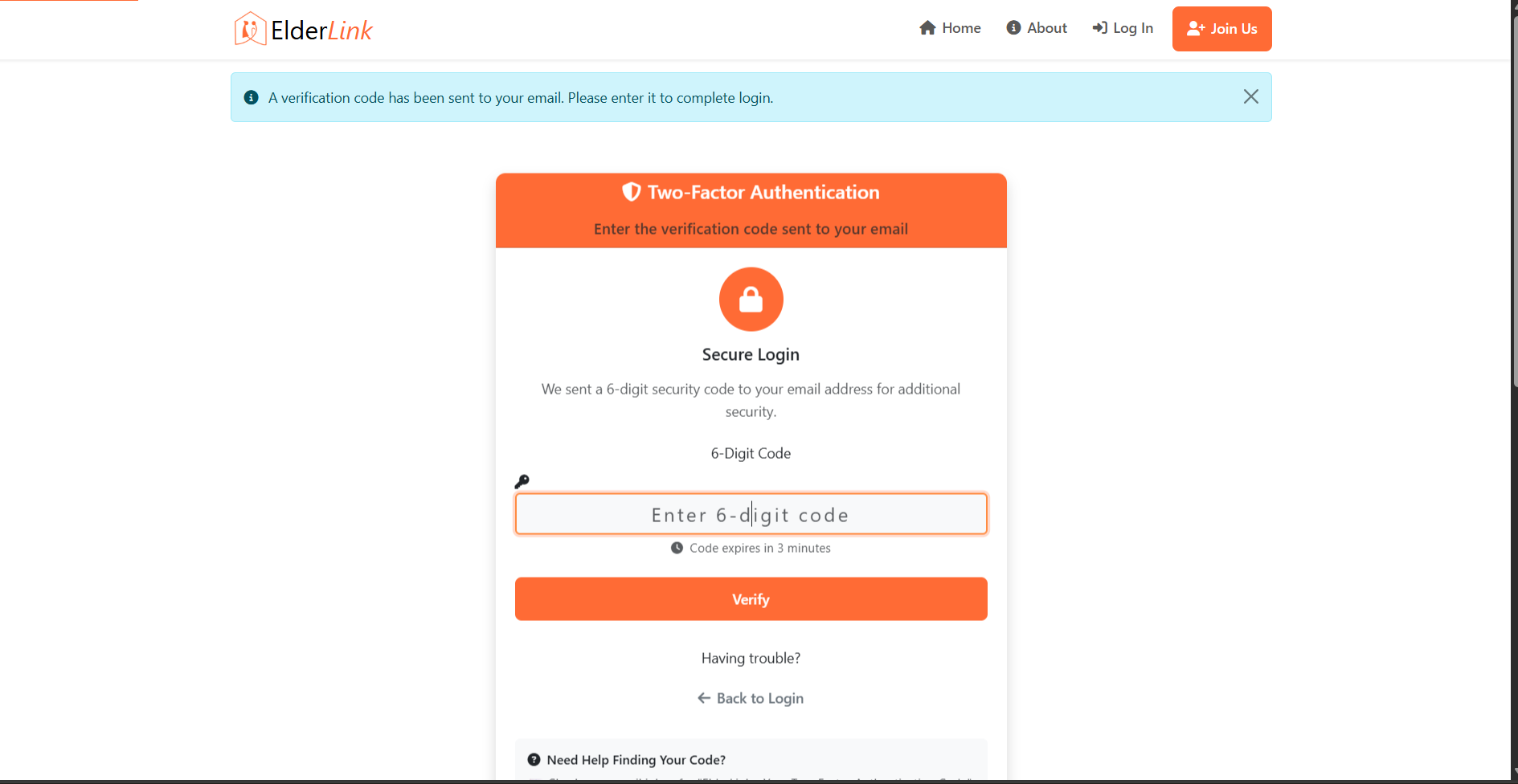
Additional security layer with email-based verification codes for enhanced account protection
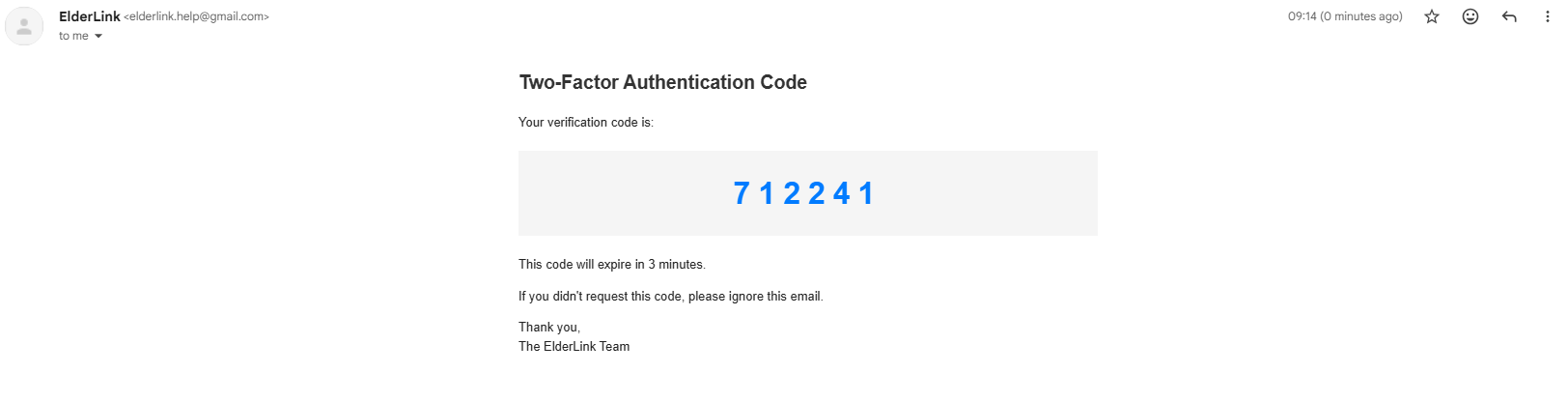
Automated email system sending time-sensitive verification codes for two-factor authentication
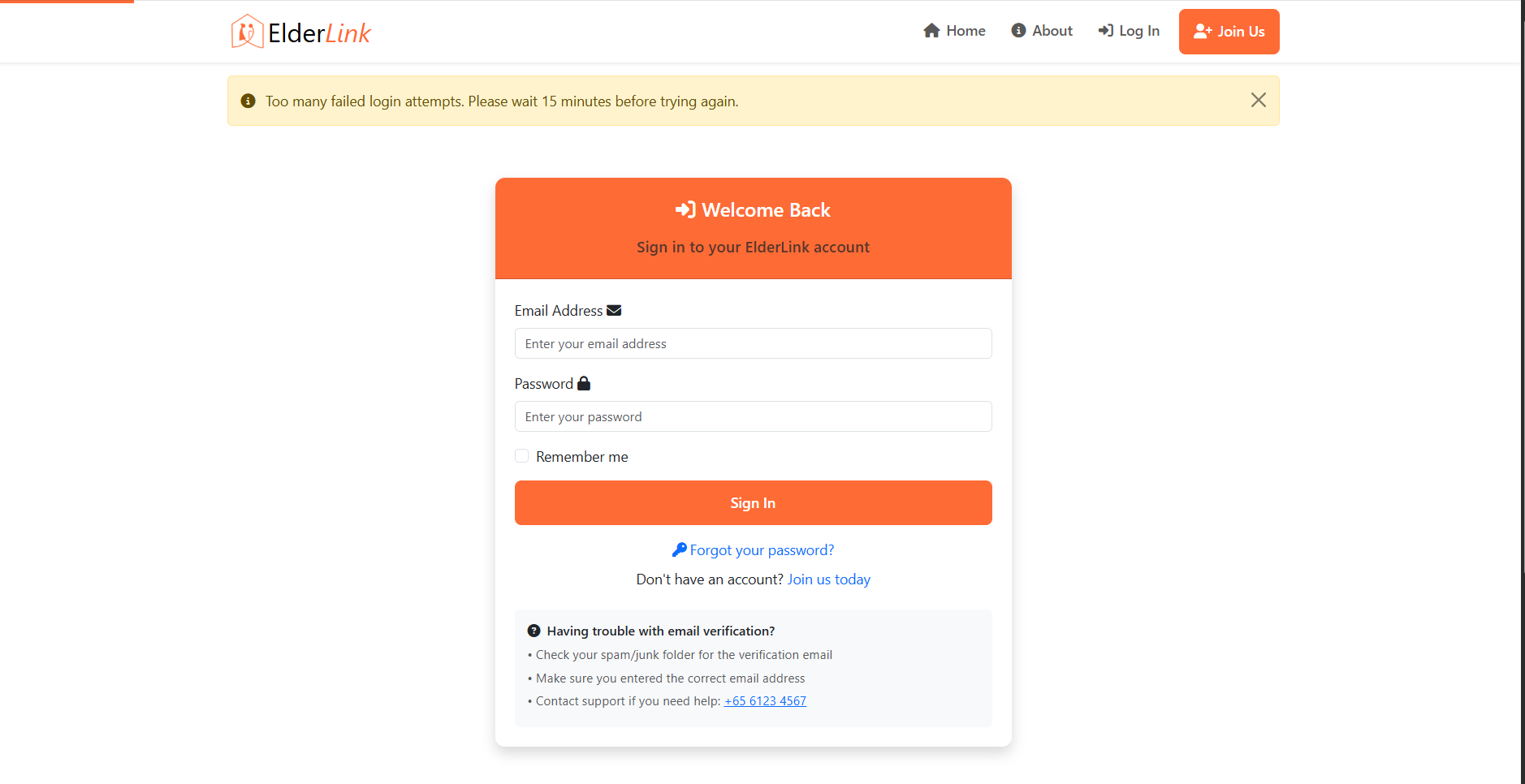
Intelligent throttling system limiting login attempts to prevent automated attacks and credential stuffing
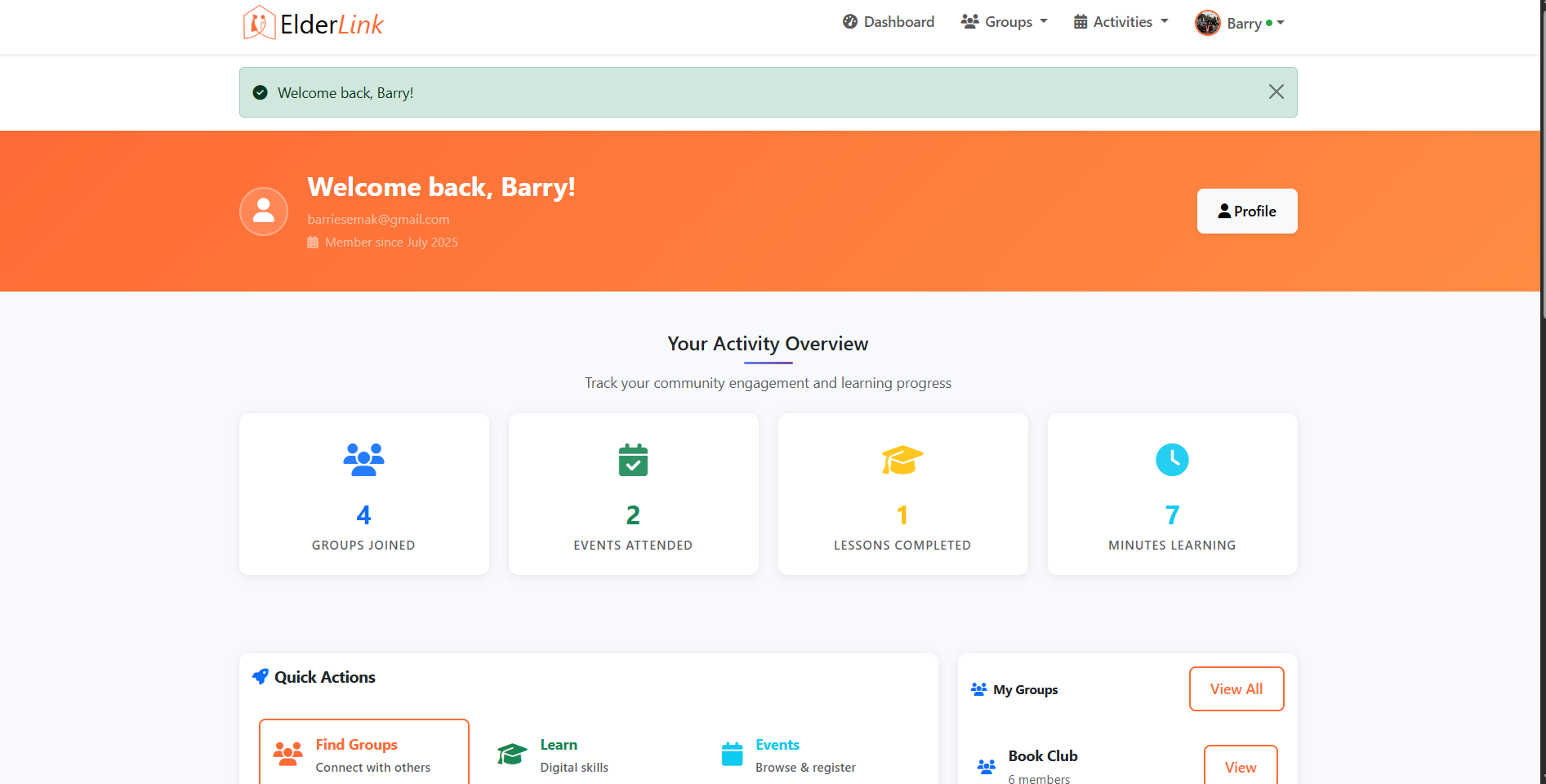
Role-based dashboard view with permissions tailored to standard user access levels
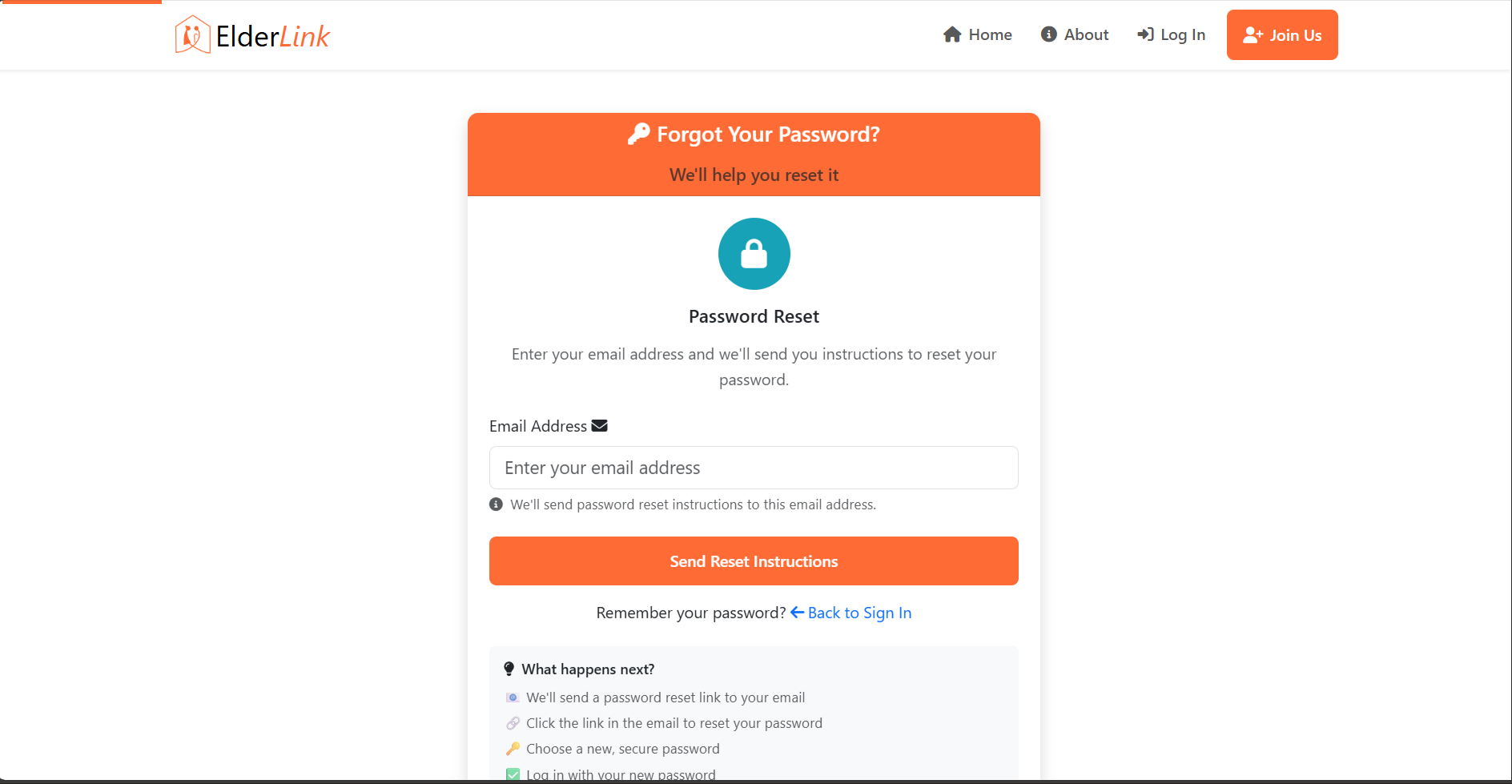
User-friendly password recovery interface with email-based reset link generation
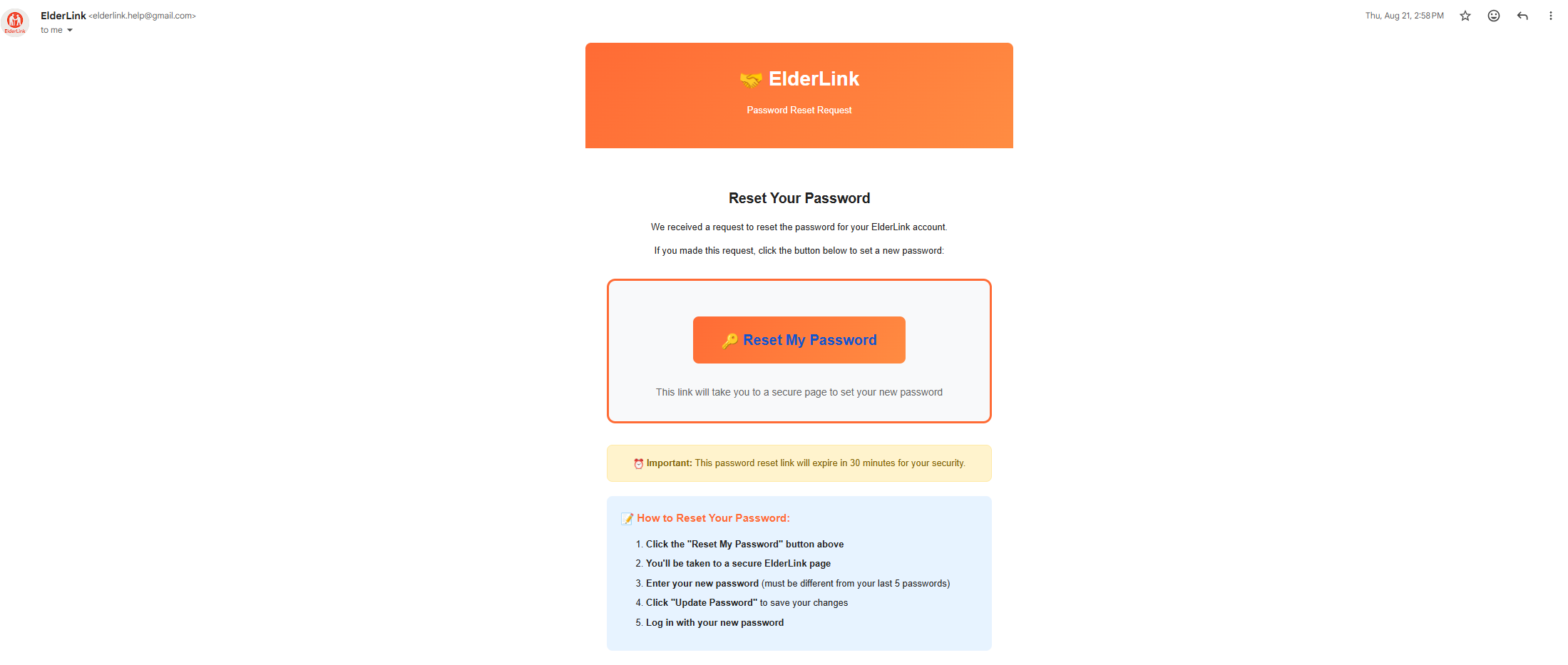
Time-limited reset tokens (30-minute expiry) sent via SMTP with cryptographically secure generation

Secure password update process requiring current password verification and strength validation
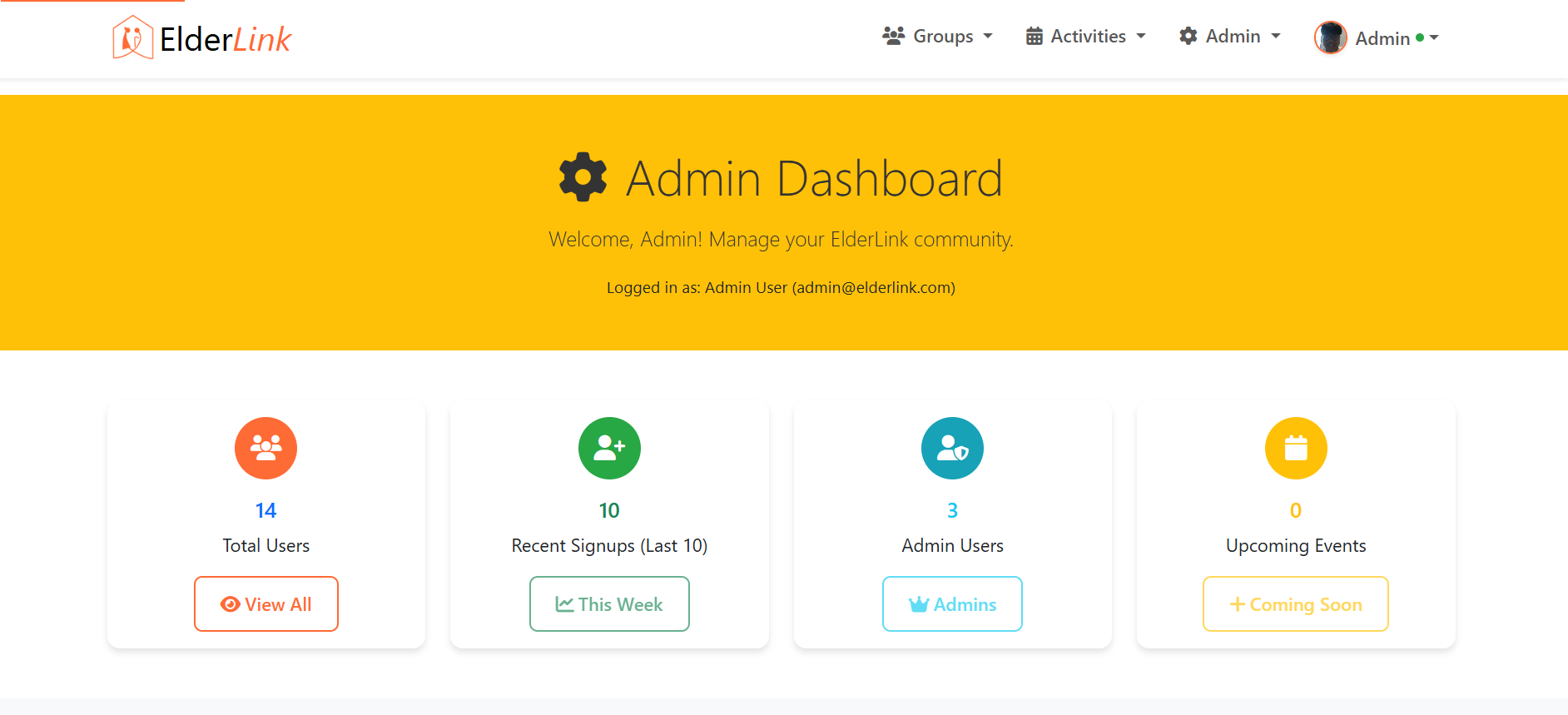
Comprehensive admin interface with elevated permissions for platform management and monitoring
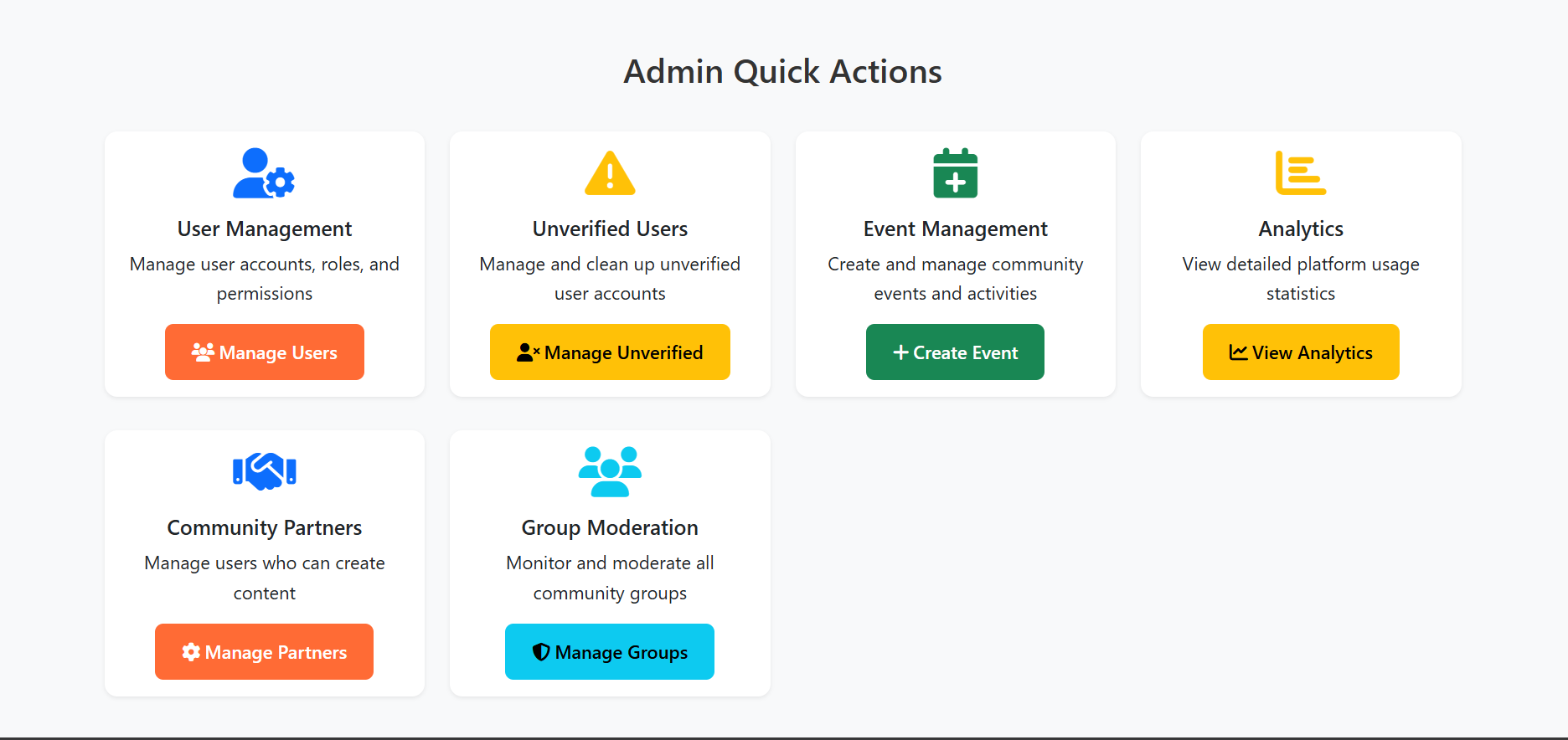
Advanced administrative controls for user management, content moderation, and system configuration
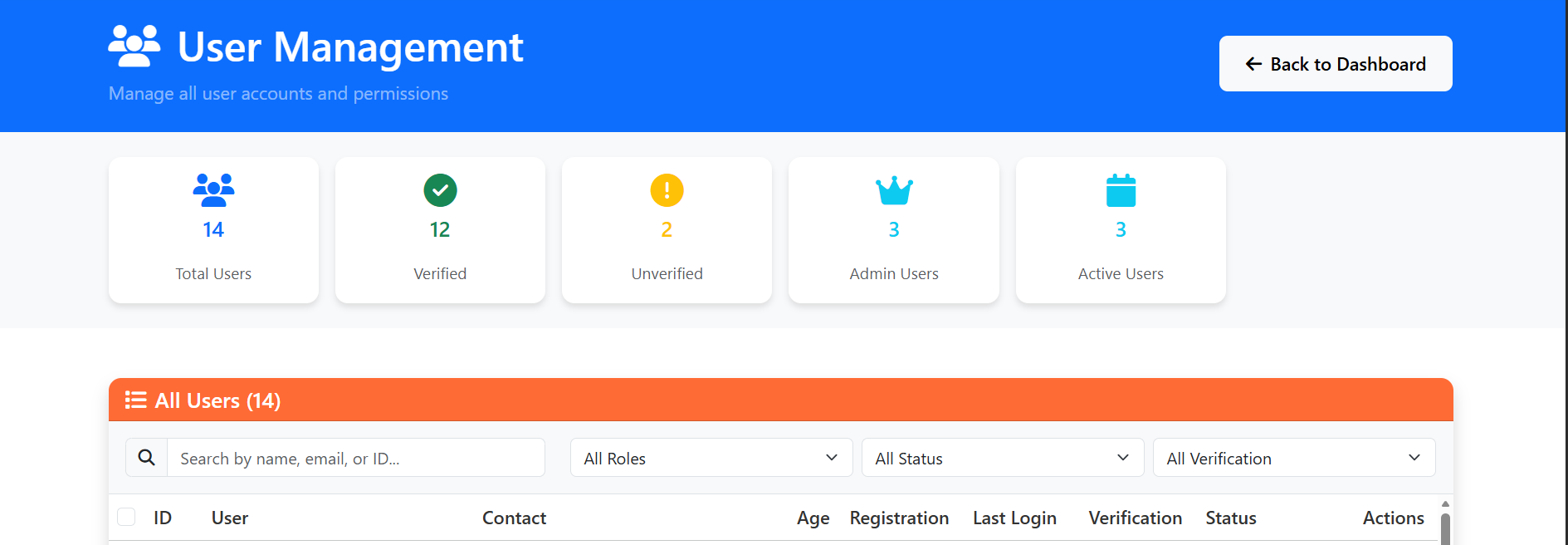
Role-Based Access Control (RBAC) interface for managing user roles, permissions, and account status
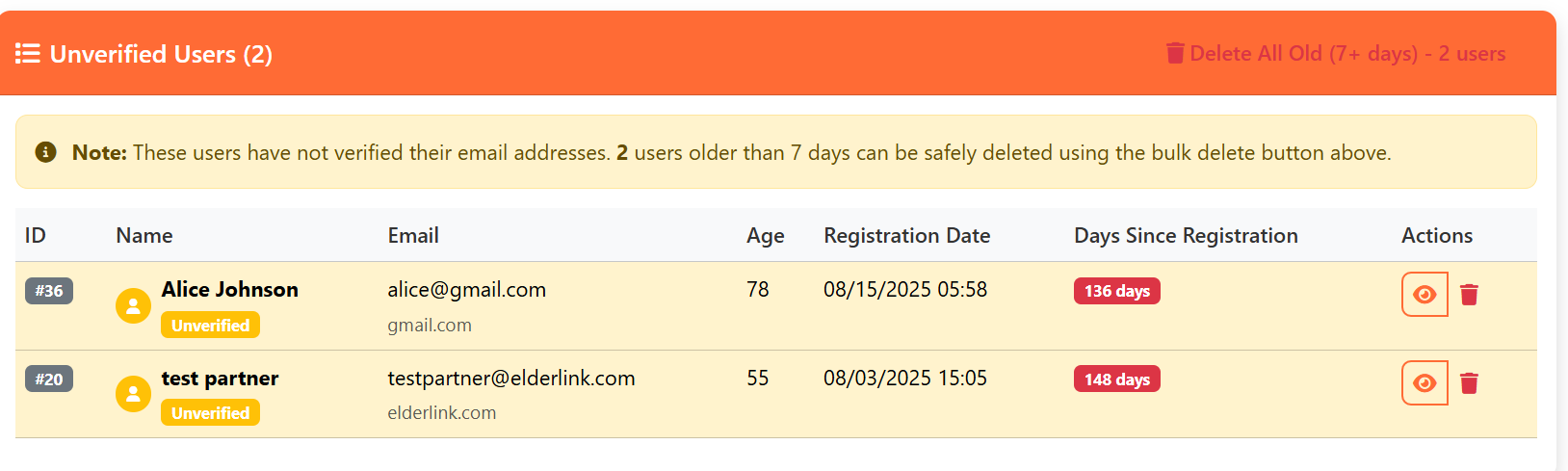
Access control preventing unverified accounts from accessing platform features until email confirmation

Administrative capability to disable user accounts for policy violations or security concerns
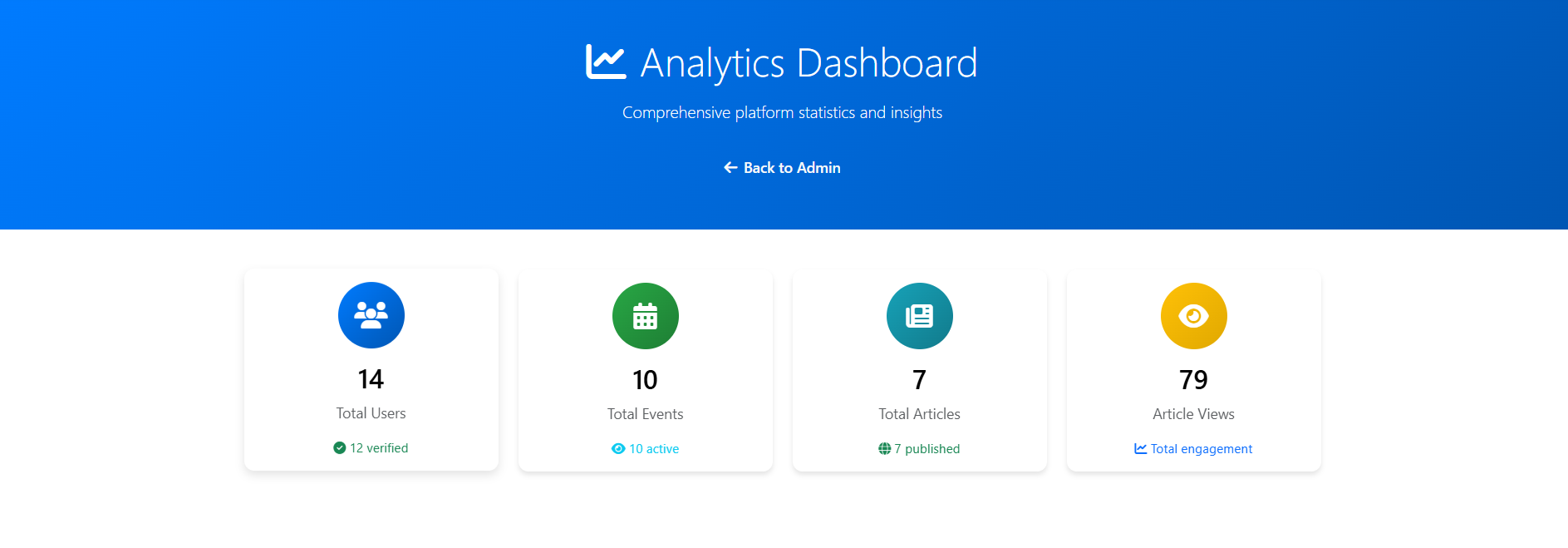
Real-time monitoring of authentication events, failed attempts, and security metrics for threat detection
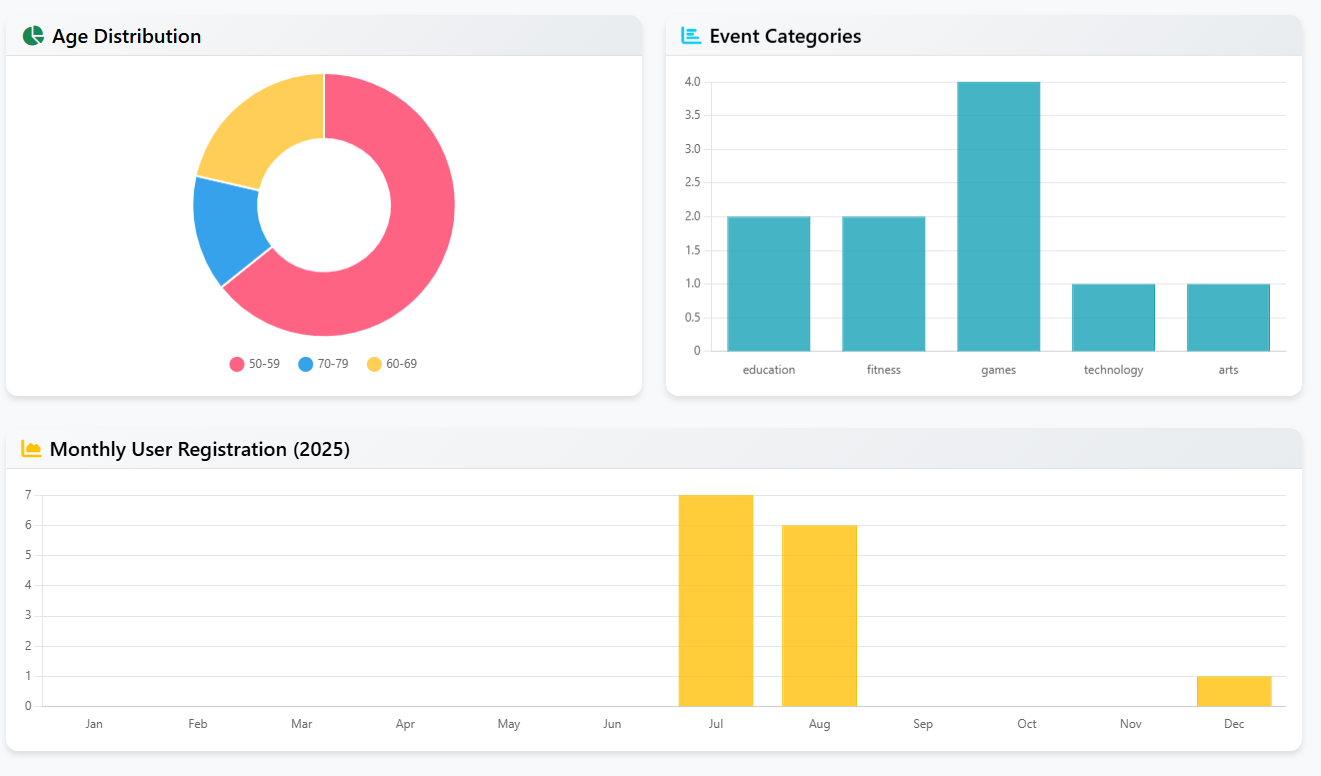
Detailed security insights and user activity patterns for proactive threat identification and response
Architected a comprehensive three-tier authentication system combining password hashing (bcrypt with cost factor 12), email verification, and two-factor authentication. Designed the complete user journey from signup to secure access, ensuring each layer provides independent security while maintaining seamless user experience for elderly users.
Implemented granular permission management system with three distinct roles: Admin, Moderator, and User. Developed role-specific dashboards with tailored interfaces, user management controls for administrators, and access restrictions preventing unverified accounts from accessing sensitive platform features until email confirmation.
Built rate limiting system restricting login attempts to 5 per 15 minutes to prevent brute-force attacks and credential stuffing. Implemented security analytics dashboard tracking authentication events, failed attempts, and user activity patterns for real-time threat detection. Added account suspension controls for policy violations.
Developed complete SMTP email integration for automated delivery of verification codes, 2FA tokens, and password reset links. Implemented cryptographically secure token generation using Python's secrets module with 30-minute token expiry. Created password change interface with current password verification and real-time strength validation.
Aligned security architecture with OWASP Top 10 standards, addressing injection attacks, broken authentication, and security misconfigurations. Conducted comprehensive security testing including penetration testing, token expiry verification, session fixation prevention, and input validation. Collaborated with team to balance enterprise-grade security with accessibility for elderly users.
Library: Industry-standard password hashing with built-in salt generation and adaptive hashing algorithm.
Implementation: Cost factor of 12 (4,096 iterations) providing exponential time complexity against brute-force attacks. Automatic per-password salting prevents rainbow table attacks.
Security Benefits: Passwords never stored in plain text. Even with database breach, attackers face computationally infeasible cracking attempts.
Method: Email-based verification codes generated using cryptographically secure random number generation.
Implementation: 6-digit time-sensitive codes with 3-minute validity window. Codes invalidated after successful use or timeout.
Flow: Post-login verification step sending automated emails via SMTP with unique codes stored in database with timestamp validation.
Purpose: Validates user email addresses during registration, preventing fake accounts and ensuring communication channel reliability.
Implementation: Unique verification tokens generated with Python's secrets module, sent via SMTP. Accounts remain inactive until email confirmed.
Security: Token-based verification with expiry timestamps preventing unauthorized account activation.
Roles: Three-tier permission system: User (standard access), Moderator (content management), Admin (full system control).
Implementation: Database role field with server-side permission checks on every protected route. Role-specific dashboard rendering.
Features: User management interface for admins, account suspension/activation controls, permission-based feature access, audit trail logging.
Implementation: Server-side throttling limiting login attempts to 5 per 15-minute window per IP address.
Mechanism: Failed attempt tracking in Redis/session storage with automatic lockout and exponential backoff.
User Feedback: Clear error messages indicating remaining attempts and lockout duration without exposing security details.
Storage: Server-side session storage preventing client-side tampering and session hijacking.
Security Features: HttpOnly cookies (prevents XSS access), Secure flag (HTTPS-only), SameSite attribute (CSRF protection), automatic expiry (30-minute idle timeout).
Session Fixation Prevention: Session ID regeneration after login/logout events preventing session fixation attacks.
Server-Side Validation: Regex pattern matching for email, password complexity requirements, username format restrictions.
SQL Injection Prevention: SQLAlchemy ORM with parameterized queries, no raw SQL execution, prepared statements for all database operations.
XSS Prevention: Input sanitization, output encoding, Content Security Policy headers, template auto-escaping in Jinja2.
Requirements: Minimum 8 characters, uppercase letter, lowercase letter, number, special character.
Implementation: Real-time client-side validation with visual strength meter, server-side enforcement preventing weak passwords.
Common Password Blacklist: Database of 10,000+ common passwords preventing dictionary-based passwords.
Token Generation: Python secrets module generating cryptographically secure 32-byte hexadecimal tokens (64 characters).
Implementation: Unique token per reset request, stored with user ID and timestamp. Tokens expire after 30 minutes.
Security: Single-use tokens invalidated after password change, no password hints, email confirmation required before reset.
Purpose: Automated delivery of verification emails, 2FA codes, password reset links, and security notifications.
Implementation: Flask-Mail with SMTP configuration, templated HTML emails, asynchronous sending for performance.
Security: TLS encryption for email transmission, no sensitive data in email body, time-limited links.
Metrics Tracked: Authentication events (login/logout), failed login attempts, 2FA usage rates, account creation trends, password reset requests.
Visualization: Real-time charts and graphs showing security metrics, suspicious activity detection, user behavior patterns.
Admin Tools: Activity logs, IP tracking, user session monitoring, threat detection alerts.
A01 - Broken Access Control: RBAC implementation, permission checks on all routes, unverified user restrictions.
A02 - Cryptographic Failures: bcrypt hashing, TLS/SSL for data transmission, secure token generation.
A03 - Injection: Parameterized queries, input validation, ORM usage preventing SQL injection.
A07 - Authentication Failures: Multi-factor authentication, rate limiting, session management, password policies.
Understanding the balance between security and usability, especially for vulnerable user groups. Learning to implement multiple layers of defense while keeping the authentication process simple and accessible for elderly users.
This project taught me the critical importance of security in protecting vulnerable users. I learned that strong security doesn't have to come at the cost of usability, and gained practical experience implementing OWASP security standards. The experience of protecting 50+ real users reinforced my commitment to building secure, trustworthy systems.